US National Park Centennial: Free Admission, Special Events, and Virtual Reality Tours

The National Park Service turned 100 on August 25, 2016. From Thursday 8/25 to Sunday 8/28/16, there will be special events and free admission to all 412 national parks. Visit FindYourPark.com to find details about your nearest park.

The fee waiver includes entrance fees, commercial tour fees, and transportation entrance fees. Other fees such as reservation, camping, tours, concession and fees collected by third parties are not included unless stated otherwise.

If you can’t visit the parks in person (if even if you can), check out “The Hidden Worlds of the National Parks”. You’ll see select parks in 360-degree virtual reality thanks to a partnership between the NPS and Google. You can use Google Cardboard for the full experience, but it still very cool on a big screen with headphones. Here’s a one-minute preview video:

Finally, NASA is sharing what the US National Parks look like from the Space Station.

Finally, you may have noticed the Google Doodle of the day, which linked to a neat one-minute animated video below:

Free Educational Apps for Children: Duck Duck Moose

ddm0bIf you’re a parent of young children these days, you’re likely looking to make their screen time active and educational instead of passive. Unfortunately, free apps are often of low quality or severely restricted. Meanwhile, there are some excellent paid apps, but the cost starts adding up quickly at $2 to $10 a pop.

So it was welcome news when non-profit Khan Academy announced that they are partnering with developer Duck Duck Moose and making all of their apps completely free to download with all features. They have won 21 Parent’s Choice awards and 18 Editor’s Choice awards from Children’s Technology Review.

Here are links to all of their Android apps and all of their iPhone / iPad apps. More supposedly are in the works.

There are a lot to choose from, so here are the apps organized by awards won. Here are the Common Sense Media reviews of certain apps.

Ting Review: Bring Your Existing Phone, Referral Discount, Now Cheaper Data

tinglogTing provides mobile phone service with a “pay-only-for-what-you-use” and “bring your own phone” structure. I recently switched my parents over to Ting from Republic Wireless so that they could use our older iPhones (easier for them, easier for us to do tech support). Ting recently updated their pricing structure to include cheaper data, so I am updating my review.

Who can save money? Ting works best for overall moderate usage, especially spread across multiple users. Why pay for unlimited minutes and texts when you don’t need them? Why pay for 5 GB every month if you often use less? Sample rates:

  • $12.00 per line ($26 total) per month for 2 lines sharing 500 minutes, 100 texts, and no data. (This is the typical bill amount with my parents.)
  • $27.50 per line ($55 total) per month for 2 lines sharing 1,000 minutes, 1,000 texts, and 2 GB data.
  • $9.50 per line ($38 total) per month for 4 lines sharing 500 minutes, 1,000 texts, and no data.
  • $16.75 per line ($67 total) per month for 4 lines sharing 1,000 minutes, 1,000 texts, and 2 GB data.

Put your own numbers into the Ting interactive rate calculator to see if you can save money. Each line is a flat $6 and all lines share a bucket of either minutes, text, and data.

Here’s a screenshot of their NEW rate breakdown:

tingnewdata

Here’s a screenshot of their OLD rate breakdown. You can see that their data used to be much more expensive, working out to $19 for the first GB, $29 for 2GB, and then $15 per extra GB of data (billed pretty much down to the penny). As of 8/5/2016, the numbers are $16 for the first GB, $20 for 2 GB, and now $10 per extra GB of data (billed in $10 increments). The price drop applies to everyone and pretty much no matter what, the new data plan is cheaper than the old data plan.

Ting realized that they were being known as “good if you don’t use a lot of data”.

Ting uses both Sprint CDMA and T-Mobile GSM networks, so you can bring over any used Sprint phone, used T-Mobile phone, or any unlocked GSM phone. Use their Ting phone compatibility checker tool. If you bring your own GSM phone, you’ll need a SIM card. Prices change with time and promotions, but they currently cost $9 + free shipping via USPS Priority Mail.

Bring Your Own Phone. You can buy a refurbished iPhone 5 directly from Ting for about $200, but you can also buy a used iPhone 5 for about $109 from Swappa. A used Samsung Galaxy S4 from Ting costs about $180, but they are about $100 on Swappa.

Being able to bring over the same phone you’ve already been using is the best way to save money. We had an old Verizon iPhone 5, which is also GSM unlocked. We just bought a SIM card, popped it in, and starting using the service immediately.

Refer-a-friend discount. New Ting customers get a $25 credit with a referral link (that’s mine). Thanks in advance if you use it, you’ll be saving my parents some money on their next bill.

Bottom line. Ting’s strengths are transparent, metered monthly plans and a flexible bring-your-own-phone policy. They recently dropped their data prices. “Pay for what you use” means that you don’t need to pay for 3 GB tier every month if most months you only use 1 or 2 GB. The math works out best for shared plans. You can bring over any used Sprint, used T-Mobile, or unlocked GSM phone. Not everyone will save money, so use their rate calculator to compare your own situation.

Best Buy: 10% Off All Prepaid Phone Cards

bbprepaidBest Buy has a sale offering 10% off prepaid phone cards. The “top-up” options include Verizon Prepaid, T-Mobile Prepaid, AT&T GoPhone, Cricket, Net 10, Virgin Mobile, Boost Mobile, TracPhone, Simple Mobile, Locus, and H20.

Cricket Wireless (uses AT&T network) offers a $40 a month plan ($35 net after $5 AutoPay credit) with unlimited talk, unlimited text, and 2.5 GB of LTE data. The data speeds are throttled to 8 Mbps for LTE and 4 Mbps for 4G HSPA+, which is still pretty fast to me but is a way that they save money. With this promo, you can buy a $40 topup card for $36, theoretically taking your net outlay down to $31 a month.

If you want to buy a lot of cards, you can stack this with the previously-available AmEx Offer for $25 off $250 at Best Buy. California residents should note that Best Buy will charge the MTS surcharge (basically sales tax) on prepaid card purchases.

Pay Your Rent with Credit Card With No Fees With RadPad and Android Pay

Update: This offer was ended early, basically saying they had to break their word because they were faced with huge losses. Not a well-run promotion.

radpad0With a new promotion by RadPad and Android Pay, you can pay your rent with a credit card (Visa, Mastercard, American Express) and earn points/miles/cash rewards through the end of 2016. Your landlord will simply receive a check on your behalf from RadPad.

Android Pay requires an NFC-enabled Android device running KitKat 4.4+ and the Android Pay app. A partial list includes LG G4, LG G5, HTC One M9, HTC 10, Nexus 6P, Nexus 5X, Samsung Galaxy S6 and S7, and Moto X. Here is a 3rd-party list of NFC-enabled phones.

You must log into Pay with Radpad from an Android device or use the RadPad app, and then pay using Android Pay.

radpadand1

If you have a compatible phone, this promo seems like an easy way to rack up some extra frequent flier miles or satisfy a bonus requirement. You can schedule payments ahead of time if you wish. The standard fee is otherwise 3.49% for credit cards and free for debit cards. (You can now search for an apartment, sign your lease using Docusign, and pay rent using your debit card for free, all through Radpad.)

Free Two-Month Pandora One Subscription

pandoraGroupon is offering a free 3-month subscription of Pandora Premium music streaming service, which usually costs $9.99 per month. This upgrade includes access to 40 million songs on-demand, removal of all ads, unlimited skips, offline listening, and individualized playlists.
With Pandora Premium, enjoy personalized radio with on-demand listening. Users can search and play any song or album. Create playlists and use the power of Pandora to help complete them. Save data by downloading the music you want offline, and enjoy all of your favorites with no ads and unlimited skips and replays.

The plan will automatically renew to $9.99 a month unless canceled. Thankfully, you can choose to cancel now (or at any time) and your service will keep working until the end of the three months. Not valid for current customers. While supplies last, over 10,000 taken already.

Google Photos: Unlimited Free Photo Storage Ends June 2021

Updated 2021. Google announced it will stop offering free unlimited storage for high-quality photos on June 1, 2021. All photos uploaded before that date will not be counted towards your storage limit. Photos uploaded after that date will count towards your Google Drive limit (15 GB standard). If the account is inactive or exceeds the 15 GB limit for two years, Google may delete your photos.

Original (outdated!) post:

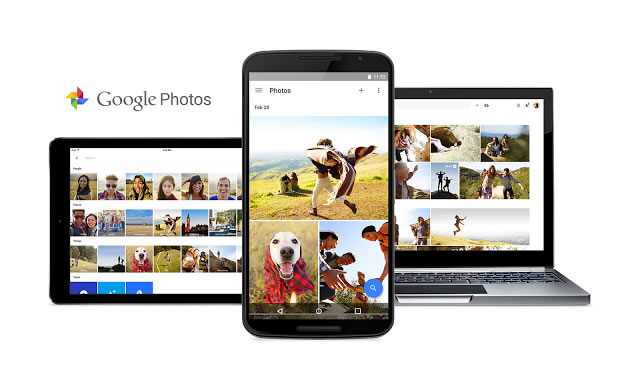
gphotos

Google may already see all your search queries, have access to all your e-mails with Gmail, and now it wants to store all your photos. Why would you let them? How about unlimited space. Free. From the Google Blog:

Google Photos gives you a single, private place to keep a lifetime of memories, and access them from any device. They’re automatically backed up and synced, so you can have peace of mind that your photos are safe, available across all your devices.

Google Photos will store unlimited images for free, with a few conditions. You can choose from one of two options:

  • High quality – Unlimited free storage. Recommended for phones or point-and-shoot cameras that are 16 megapixels (MP) or less. Good for typical printing and sharing. Will be compressed using their special algorithm. Anything under 16 megapixels will have minimal degradation of quality, supposedly it is optimized so that visually you can’t tell the difference. Anything bigger than 16 megapixels will be downsized to 16 megapixels, which can be significant for DSLR users.
  • Original quality – Limited free storage: Uses your Google Account’s 15 GB of free storage. Recommended if you take photos with a DSLR camera and want to maintain the exact original quality. Recommended for printing large banners or to store your original files. Store your photos and videos exactly as you captured them.

Google Photos will store unlimited video for free at 1080p quality. This is pretty big for me, as my videos take up the most space and right now I don’t pay to back them up in the cloud – only on external hard drives. If you upload something 4K, it will downsize to 1080p.

As you might expect with Google, they have also tried their best to make searching through your huge image library as easy as possible:

VISUAL SEARCH: Your photos are now searchable by the places and things that appear in your photos. Looking for that fish taco you ate in Hawaii? Just search “Hawaii” or “food” to find it even if it doesn’t have a description.

There is even facial recognition that groups photos with the same face. The app automatically creates collages of similar photos, albums of photos taken at the same time and place, and even animations.

Amazon Prime members can get free unlimited photo storage, but only 5 GB of free video storage.

Here are the links for the Web interface, Android app, and Apple iOS app.

Free Airport Lounge Pass with LoungeBuddy and Visa

loungepass0Update: LoungeBuddy ended the offer really early. Sorry!

LoungeBuddy is a smartphone app that helps you navigate airport lounges around the world. Their new promotion offers a free airport lounge pass (up to $40 value) when you book with LoungeBuddy and pay with your Visa card. Valid until 10/31/2016 or until supplies last. One per customer.

Be sure to book online through LoungeBuddy.com/visa and not through their app. You will be limited to select airport lounge partners. For example, I only see one lounge for Los Angeles International (LAX):

loungepass

Here are the full terms and conditions.

I keep the LoungeBuddy app on my smartphone, and have found it very handy if you participate any sort of lounge access program and want to optimize your usage.

Google Play Promo: 75% off any Movie Rental

gplay1

Here’s another small but easy promotion. Get 75% off any movie rental on Google Play with code PAYPALCAUS. If you click on the link, it should already be applied. So a $4 rental will only cost you a $1. Redeem by 8/31/16 and rent by 10/31/16. Hey, it’s easier than dealing with Redbox.

Enjoy a discounted movie rental, compliments of Google Play and PayPal. Choose from thousands of titles in the Google Play Movies Catalog. Redeem your offer by August 31, 2016 and complete your movie rental purchase by October 31, 2016.

SPG 20% Transfer Bonus: 20,000 Starwood Points = 30,000 American Airlines Miles

spgaa

American Airlines (AA) has a new promotion on transferred Starwood Preferred Guest (SPG) Starpoints, where they will add a 20% bonus on any transferred AA miles from 8/1 to 9/14/16.

Starpoints are already quite flexible and transferrable to multiple airlines on a 1:1 basis (which is why everyone likes their credit card). Even better, when you convert a minimum of 20,000 Starpoints to miles, you get a 5,000 mile bonus. (If you only convert 19,999 Starpoints, then no bonus.)

Therefore, combining the two gets you this:

  • You ask to convert 20,000 Starpoints to 20,000 American Airlines miles.
  • Starwood will add 5,000 miles, and the miles will arrive in your account in 3-4 days.
  • American Airlines will add another 20% (5,000 miles) in 7 business days.
  • 20,000 Starpoints is now 30,000 American Airlines miles.

From the terms and conditions:

To earn the 20% conversion bonus, member must convert points from the Starwood Preferred Guest program. This offer is non-transferable and non-reversible.

Bonus miles will be posted by American Airlines to the qualifying AAdvantage® member’s account within 7 business days after the initial conversion activity has been posted by Starwood Preferred Guest. Bonus miles earned in this promotion do not count toward elite status qualification.

American Airlines also recently updated their award redemption rules so that they are less valuable in many instances, so be sure to check first before transferring. Also, note that you are allowed to place a free 5-day hold on award redemptions. Therefore you can hold an award first and then transfer over Starpoints, although the 20% American bonus portion may not arrive in time.

Download Free App, Get Free $10 AppStore Amazon Credit

haydaySeems easy enough. If you have an Android device including Amazon Fire Tablets, download the Hay Day app for free and get $10 Amazon appstore credit. I have no idea what the game is about, but if the credit is indeed only for apps then I can buy an educational app for my preschooler. (We like the Endless series by Originator, and Endless Alphabet is free with Amazon Underground.)

For a limited time, customers who download Hay Day from Amazon Appstore between August 1, 2016 and August 31, 2016 will receive a $10 credit toward purchase of digital content in Amazon Appstore. Only customers who have not previously downloaded Hay Day from Amazon Appstore are eligible for this offer.

Update: This is showing up for me as a $10 Amazon credit towards anything shipped and sold by Amazon. Just add any items over $10 that is shipped and sold by Amazon to your cart, and you should see this. I just added some enzymatic dental chews for my dogs for $12.08 and saw this:

hayday3

As of 8/3, they added the following sentence to the terms and conditions: “Please note, it may take up to 48 hours for you to receive an e-mail confirming that the $10 Amazon credit has been applied to your account.” As of this day, the credit also appears to be limited to App Store purchases as well.

Comcast Internet Essentials Review: Affordable Internet Access For Low-Income Households

comcastieComcast offers an affordable internet access program called Internet Essentials that provides high-speed internet service for $9.95 a month + taxes, a subsidized $150 computer with Microsoft Office, and free digital literacy training to eligible groups. Over time, they have expanded their eligibility rules and also added new features. Specifically, you now get:

  • XFINITY Cable Internet Service
  • 10 Mbps download & 2 Mbps upload speeds
  • No credit check
  • No activation or installation fee
  • No contract
  • Free modem + WiFi router rental

Here are the current ways to qualify for this program.

Low-income Families. You are eligible if you have at least one child who qualifies for the National School Lunch Program. If I read the income guidelines for the NSLP correctly, a family of 4 within the contiguous 48 states can’t make more than $31,590 a year to get free lunches during the 2016-2017 school year.

HUD Housing Assistance Households. You are eligible if you receive HUD housing assistance such as Public Housing, Housing Choice Vouchers (Section 8 Vouchers) or Multifamily Vouchers (Project-Based Section 8).

Seniors Pilot Program. You must be 62 years old and live in one of the current eligible areas. You must also be enrolled in an eligible state or federal public assistance program. As of mid-2016, the list includes Boston, Palm Beach County, Philadelphia, San Francisco, and Seattle.

Community College Student Pilot Program. You must be enrolled in an eligible community college, and also be a Pell Grant recipient. As of mid-2016, the list includes select community colleges in Colorado and Illinois.

In addition, for all groups, you must not have any outstanding debt to Comcast that is less than a year old. Families with outstanding debt more than one year old may still be eligible. You must also live in an area where Comcast Internet Service is available but have not subscribed to it within the last 90 days.

Problems and controversy. If you are already a low-income family that stretches to pay for Comcast internet access, you would need to cancel your existing service and then wait for a full 90 days before signing up for Internet Essentials. If the idea is to give your children the educational benefit of internet access, then it may be difficult to go without internet for 90 days.

This program is not supported with government taxes. Instead, it is a way for Comcast to make happy with various government regulators when they want to merge with another huge company. Indeed, Comcast as a monopoly or part of a duopoly in most areas may be the reason why average people are being charged $40 or $60 a month for basic internet access in the first place.

In any case, it exists, millions more households are eligible that aren’t signed up, and I think it is worth spreading the word. Apply online at internetessentials.com or over the phone (1-855-8-INTERNET or 1-855-846-8376).