Wells Fargo $250 New Checking Account Bonus

wellsfargo_logoWells Fargo has a $250 bonus offer for new checking account customers. You can open any consumer checking account except for Teen Checking. The prepaid Wells Fargo EasyPay® Card is not eligible. You must open the account from the special bonus page with a minimum opening deposit of $25 by February 17, 2017. (You can charge the opening deposit on a credit card.) Within 60 days of account opening, you must also do one of the following:

  • Make 10 debit card purchases/payments.
  • Set up a qualifying Direct Deposit of $500 to your new checking account.

Note that doing any one of these activities every month also waives the $10 monthly service fee on the Wells Fargo Everyday Checking account. Other ways to waive the monthly service fee are to maintain a $1,500 minimum daily balance or link the account to a Wells Fargo Campus ATM or Campus Debit Card.

In addition, to get the bonus you cannot be:

  • A current owner on a Wells Fargo consumer checking account
  • A Wells Fargo team member
  • A recipient of a consumer checking bonus in the past 12 months (limit 1 bonus per customer)

Thanks to Lee and Adam for the tip. The annoying part? The page is contradictory in regards to who is actually eligible. Right above the “Important things to know about the $250 offer:” it says:

This is an exclusive, nontransferable offer.

But then right below that it says:

Offer available in all Wells Fargo branches or online at wellsfargo.com/250offer.

If I had to bet, I would say that Wells Fargo will give the bonus to anyone who applies through this special link and they approve your application. However, I can’t guarantee it so proceed at your own risk. This is a pretty nice offer if you were looking for a checking account at a “Mega Bank”.

Andrews Federal Credit Union Application and Account Opening Review

afcu_logo

I keep a portion of my cash reserves in certificates of deposit. I decided to open a share certificate from Andrews Federal Credit Union during their 2016 Holiday Promotion. The review information below should apply to anyone trying to open any deposit account at Andrews FCU.

Joining an eligible group for membership. Here is their page on membership eligibility:

Our field of membership includes Washington, DC, civilian and military personnel of Joint Base Andrews, Joint Base McGuire-Dix-Lakehurst, and military installations in central Germany, Belgium, and The Netherlands; as well as over 200 employer groups throughout Maryland, Virginia and New Jersey. We also have nationwide membership eligibility through the American Consumer Council.

As I do not live the in DC area and do not qualify otherwise, I joined the American Consumer Council (ACC), a non-profit organization dedicated to consumer education, advocacy and financial literacy. Sounds like something worth supporting! You can join through the website. I believe the cost is a one-time $8, although there is a promo code “consumer” that has worked to get the membership fee waived. You can make additional donations as you wish. They will send you an e-mail shortly with your ACC membership number.

Application process. You can then proceed to the Andrews FCU website and start the application. You will need your ACC number to satisfy the eligibility question “I am a member of the American Consumer Council (ACC), and my ACC membership number is ___”.

Note: Applying for an account will result in a hard credit inquiry. At least for me, they checked my TransUnion credit report.

You will need to provide the usual personal information – name, address, SSN, driver’s license, etc. You will also need to provide them with a bank account routing and account number to fund the initial share account. The minimum amount is $5. You will need to keep $5 in your Share account for as long as you are an Andrews FCU member. I just started with $5.

Account approval. Once your account is approved, you should get the following message:

Congratulations, your account with Andrews Federal Credit Union has been opened. Your member number is XXXXXXXX. The signature card has been sent to your email address via DocuSign for you to sign electronically.

Your new account funding is being processed and will be posted to your new account once received by us from your other institution. If you requested an ATM or VISA Debit Card as part of your application, your card order has been placed. The routing number for Andrews Federal is 255074111.

You may now enroll for SmartConnect, our online banking system, by visiting our web site www.andrewsfcu.org and selecting Online Banking Enrollment. If you require further assistance, please call us at 800.487.5500.

Thank you for choosing Andrews Federal Credit Union.

It’s nice that you can do the signature card via DocuSign. That meant my entire application process was completed online. I did try to call them a few times, but had some trouble navigating their phone tree without a member number. However, if I didn’t have my TransUnion report locked, I wouldn’t have had any reason to call them at all. Other than that delay, I would say the application took only one or two days to process.

Funding your checking, savings, or certificate account. I found the easiest way to open my share certificate was to move money into my share savings account, and then fund the certificate from the share savings. I use Ally Bank as my banking hub, so I added Andrews FCU as an external account in my Ally account using my share account number and routing number (255074111). For some reason, the direct login verification didn’t work for me, so I completed the verification using two small test deposits. It took 2 business days for the test deposits, and 2 business days for the transfer from Ally to Andrews FCU.

Opening the share certificate. Once the funds arrived, I opened the share certificate online by clicking on “Open an Additional Account”. Despite the promotion stating you had to call in, the special certificates were available online. Here’s a screenshot (click to enlarge):

afcucd1

You will need to chose your dividend reinvestment and maturity options. That’s it. The share certificate now shows up on my online banking page, right next to the share savings account. The process was pretty straightforward, just be sure to remove any credit locks or freezes on your TransUnion credit report. Remember that you’ll need to fund your special certificate by any stated deadline.

When “Saving Money” Doesn’t Actually Grow Your Savings Account…

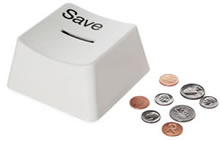
savebuttonbankThis time of year, we are surrounded by discounts. 40% off here. 80% off there. I always wonder to myself, does it really make any difference? If you save $35 on a $50 sweater, you feel good that you got a bargain. But where does that “savings” go? Are you actually any richer? Don’t you just go out and buy more stuff? Does chasing all these sales actually help or hurt your net worth?

What if, every time you bought something with a discount and think “Oh I totally needed that anyway and I saved $20!”, you immediately transferred $20 into a savings account. That way, you will have actually put $20 aside instead of the vague notion of “I saved $20”. Eventually, you can invest that money into productive assets like stocks or a house downpayment. This leads to my brainstorming question…

What is the easiest way to transfer money into a savings account “piggy bank”?

Digit Savings Text Bot. This is my current favorite. Once you have it all set up, I just text Digit the words “save 6 bucks” and it will move $6 from my linked checking account into my Digit savings account. You can even play around with the language, you know, if you’re a goofball like me. Here’s a screenshot:

save_digit

You don’t even technically need a smartphone or a cellular data plan for this app to work, just SMS text capability. I can also have it work on my laptop through my Apple Messages app. See my Digit review for more details on their auto-saving feature.

Dobot (“Dough-bot”) is another similar saving bot app that I am trying out right now, and they are offering a $5 new user bonus (If you get $5, I get $5 too). However, everything is done in-app and not through text.

Online Bank App. Most online banks have smartphone apps, and even better is the fact that most will now let me log in using my fingerprint. I tested out a $5 transfer from my checking to savings account using the Ally Bank app and I counted 13 taps total. Here’s a quick screenshot.

save_ally2

Using the bank app was certainly not difficult, but texting Digit simply felt more natural. Keep in mind that you can have unlimited transfers from Ally checking to savings, but per federal bank regulations, you can only make 6 outgoing transfers per month from any bank savings account.

Pen and paper. Write your discount savings in a notebook or scrap of paper, and then add them up later at the end of the day, week, or month and initiate a transfer. Seems simple enough, but in the real world that delay would mean that I wouldn’t do it.

Siri, Google Assistant, or Amazon Alexa? Perhaps the easiest way would be to just say “Hey Scary AI Robot, send $5 into savings for me” and it would transfer from my checking to savings. You’d have to add in some security firewalls so the transfers only go between internal bank accounts (and not some hacker’s bank account). I don’t know of any actual setups that would do this, but I did see that Alexa already has some limited integration with Capital One.

Ally Bank CD Maturity Review: Phone and Online Redemptions

allyreview_logoUpdated with online maturity information and screenshots. If you have money in a bank certificate of deposit (CD), you should be aware that most of them will renew automatically for the same term length upon maturity. That means if you don’t specifically tell them otherwise, your 5-year CD will roll over for another 5 years if you’re caught snoozing during the grace period. Different banks set different grace period lengths and renewal instructions; the best ones in my opinion let you set the decision ahead of time (i.e. Pentagon Federal Credit Union).


I bring this up again because I have a few Ally Bank CDs coming up for renewal. Here’s a quick review of the process for other Ally Bank account holders. First, here is the official policy taken from their website:

What happens to my CD at maturity?
You’ll have a 10-day grace period starting on your maturity date to:

Change the term
Make additional deposits or withdraw funds
Close the CD

If you don’t make changes to your CD by phone or in online banking by the end of the 10-day grace period, it will automatically renew into the same term. To provide renewal instructions in online banking:

Log in to your account
Go to the Main Menu , then Manage CDs
Select Make Changes

Here’s the timeline.

Roughly 30 days before maturity. If you have chosen paperless documents, you’ll receive a somewhat vague e-mail from Ally Bank with the subject line “You have new correspondence in online banking.” This is actually your official “Certificate of Deposit Maturity Notice”, so don’t overlook it! If you have paper statements, you’ll get a separate letter from Ally via snail mail.

Between 30 days before maturity to 10 days after maturity. If you want anything besides an auto-renewal of the same term at current market rates, then you must notify the either by phone at 1-877-247-ALLY (2559) or online. (Less than 2 years ago, there was no online option.) Here’s a screenshot of where I clicked after reaching my CD page (click to enlarge).

allycd_close1

If you call them, they’ll ask you a bunch of identity verification questions, much more than other phone calls. You can also ask if they still offer a Loyalty Bonus where you’ll get an extra 0.05% APY if you renew your CD. I was not shown any such offer when renewing online. (The Ally Ten Day Best Rate Guarantee also applies.) If you want to make a withdrawal or other changes, they’ll ask you why. Nothing high pressure, but they’ll softly encourage you to renew.

I decided to withdraw my funds this time. If you have multiple CDs like I do (for minimizing penalties in case of early redemption), they will have to read you the details and disclosures for each one. You can just skip over it if you do it online. I do my daily banking at Ally so I just swept it into one of my online savings accounts while I decide what to do with it. Here’s a screenshot:

allycd_close2

Remember that the phone wait time is shown live on the top of their main website (I only call if it is around a minute). Closing two CDs over the phone took about 15 minutes. Closing three CDs online took under 5 minutes. I’m glad they added the online option, it was much faster.

Also see: Ally Bank Savings Account Review.

Best Interest Rates on Cash Reserves – November 2016

percentage2

Our family keeps a year’s worth of expenses (not income) put aside in cash reserves; it provides financial insurance with the side benefits of lower stress and less concern about stock market gyrations. Emergency funds can have a better return on investment than what you see on your bank statement. In my experience, having a solid cash cushion is the first step towards financial independence.

I don’t chase rates nearly as much as I used to, but it still pays to shop around. Chase Bank on a 1-year CD? 0.02% APY. Bank of America on a 10-year CD? 0.15% APY. Who buys these things?!? Meanwhile, the rates below vary from 1% up to over 3% annualized.

As of 11/6/2016, below is a roundup of the best rates backed by the full faith and credit of the US government (FDIC-insured, NCUA-insured, US Treasury Bonds, US Savings Bonds). I will try to sort them from the shortest to longest maturities.

High-yield savings accounts

  • Online savings accounts, everyone’s got one these days. Currently, the ones with a history of competitive rates are around 1% APY. These savings accounts can change their interest rate at any time, so if you’re going to just pick the highest one, be ready to move your money. I prefer the ones with a history of competitive rates, and I’ve been with Ally Bank for over 5 years. Their online savings is currently at 1% APY.

Short-term guaranteed rates (under 1 year)

  • If you’ve got a big wad of cash that you’re waiting to deploy shortly (just sold your house, just sold your business, inheritance), I say just keep it safe until you’re ready to invest it properly. Palladian Private Bank has a 6-month promotional rate of 1.30% APY guaranteed (maximum initial deposit of $100k) for new accounts. After the first 6 months, the rate reverts back to their normal rate (currently 1.10% APY). Since the initial promo rate is fixed, this makes it the higher 6-month CD rate available.

Flexible Savings Bonds

  • Series I Savings Bonds offer rates that are linked to inflation. “I Bonds” bought right now will earn a 2.76% rate for the first six months, and then a variable rate based on ongoing inflation after that. You must hold them for a year, and if you redeem them within 5 years there is a penalty of the last 3 months of interest. While future rates are unknown, at the very minimum it will be competitive with the best 1-year CD rates. More info here.

Prepaid Cards with Attached Savings Accounts

  • A small subset of prepaid debit cards have an “attached” FDIC-insured savings account with high interest rates. The risks are that balances are capped, and there are many fees that you must be careful to avoid (lest they eat up your interest). The other catch is that these good features may be killed off without much notice. I pulled my money out of my NetSpend card after the eligible balance dropped to $1,000 (no longer worth the effort for extra $3 a month in interest).
  • Insight Card is one of the best remaining cards with 5% APY on up to $5,000 as of this writing. Fees to avoid include the $1 per purchase fee, $2.50 for each ATM withdrawal, and the $3.95 inactivity fee if there is no activity within 90 days. If you can navigate it carefully (basically only use ACH transfers and keep up your activity regularly) you can still end up with more interest than other options.

Rewards checking accounts

  • These unique checking accounts pay above-average interest rates, but with some risk. You have to jump through certain hoops, and if you make a mistake you won’t earn any interest for that month. Rates can also drop quickly, leaving a “bait-and-switch” feeling. But the rates can be high while they last.
  • Consumers Credit Union offers up to 4.59% APY on up to a $20k balance, although 3.09% APY on a $10k balance might be easier to achieve unless you satisfy a long list of requirements. Note that the 4.59% APY requires you to apply and get approved for an additional credit card through them (other credit cards offer $500+ in sign-up bonuses). Keep your 12 debit purchases small as well, as for every $500 in monthly purchases you may be losing out on 2% cashback (or $10 a month on after-tax benefit).

Certificates of deposit

  • If you have a large cushion, it’s quite likely to just sit there for years. Why not put some money in longer-term investments where you can still take it out in a true emergency and pay an early withdrawal penalty. For example, UNIFY Financial Credit Union (formerly Western Federal Credit Union) is offering a 5-year Share Certificate paying 2.00% APY ($1,000 minimum balance) with an early withdrawal penalty of only 90 days interest. For example, if you withdraw from this CD after 2 years and pay the penalty, your effective rate earned will still be 1.76%. Anyone can join this credit union via partner organization, it appears it might be free or at most a one-time $25 fee.

Longer-term Instruments

  • Willing to lock up your money for 10+ years? Did you know that you can buy certificates of deposit via Vanguard’s bond desk? These “brokered CDs” offer the same FDIC-insurance and are often through commercial banks like Goldman Sachs. As of this writing, you can get a 10-year CD maturing 11/9/2026 that pays 2.10% APY. (Unfortunately, current long-term CD rates do not rise much higher even as you extend beyond a 5-year maturity.) Prices will vary regularly.
  • How about two decades!? Series EE Savings Bonds are not indexed to inflation, but they have a guarantee that the value will double in value in 20 years, which equals a guaranteed return of 3.5% a year. However, if you don’t hold for that long, you’ll be stuck with the normal rate which is quite low (currently a sad 0.10% rate). Think of it as a huge early withdrawal penalty. You really, really want to be sure you’ll keep it for 20 years.

All rates were checked as of 11/6/16.

Big List of Bank / Credit Card Privacy Opt-Out Links

If you have any sort of financial account, you’ve probably gotten one of these privacy forms in the mail:

optout_chase2

The information they are talking about can include:

  • Social Security number
  • How much you make (Income)
  • How much money you have (Balances)
  • What you buy (Transaction history)
  • How much you borrow (Credit and payment history)

The amount of sharing varies widely:

  • For our affiliates to market to you = We can share with companies who are under the same ownership or control.
  • For non-affiliates to market to you = We can sell your information to anyone! They don’t even have to be financially-related companies.

These companies lobbied heavily to make these forms work on an Opt-Out basis instead of Opt-In. That means that unless you tell them not to, they can share however they want. The fact that you are busy with your own life benefits them by default.

It is just so tempting to not bother, but if you can commit a chunk of time, I’ve tried to collect the information for most of the largest financial institutions below. That way, you can knock them all out at once, and hopefully be done for a few years at least. You’ll often need the bank account or credit card number to complete the form.

* If you are really short on time: At the time of writing here are the companies that share with non-affiliates: Ally, Capital One, Chase, Citibank (bank and credit cards), Discover, FIA Cardservices. Opt out of these first, if applicable.

Ally Financial

American Express

Bank of America

Barclaycard US

Capital One

Charles Schwab

Chase

Citibank (Bank Accounts)

Citi Credit Cards

Discover Card

FIA Cardservices

US Bank

Wells Fargo

  • Privacy Notice
  • Online: Log on to wellsfargo.com, and choose Change Privacy Preferences under the Account Services tab.
  • Phone: 1-888-528-8460

Netspend Card 5% APY Savings Account Review

netspend0

(Update: On 5/31, NetSpend effectively issued a 30-day notice that the rate structure will be changed as of July 1st, 2016 such that the 5% APY will apply up to $1,000 and anything above that gets 0.50% APY. The 5% APY will apply to up to $5,000 until June 30, 2016 which is when the next quarterly interest payment will post. Thanks to all who notified me of this change.)

Prepaid debit cards are a growing niche for the “under-banked” or “un-banked” who can’t or don’t want to use traditional checking accounts to hold their cash. In order to promote the adoption of prepaid debit cards as their sole financial hub, many now offer the option of an attached high-interest savings account.

The NetSpend Prepaid Visa offers 5% APY on balances up to $5,000. For balances over $5,000, it pays 0.50% APY. Even with the balance limit, this is an attractive rate and worth a look even if you don’t need a prepaid debit card otherwise. I’ve had this card open since September 2015, but a quirk of this card is that interest is only paid quarterly, so I waited to see if the 5% APY (4.91% APR) would post correctly. As you can see in the screenshot below, the interest for all 3 months was credited as promised at roughly $20.50 per month. (The 0.50% APY on balances above $5,000 is credited on a separate line.)

netspend5

For the purposes of this review, I will not focus on most aspects of the prepaid debit card. I am primarily interested in maximizing the savings account feature and the avoidance of any fees.

Account opening process. Visit the Netspend website and enter your personal details to order a card (name, address, e-mail). No credit check. No application fee. You will eventually need to provide your Social Security number as required by law, since you’ll be opening a FDIC-insured bank account. If you are referred by an existing user (links above are mine, thanks if you use it), both get an additional $20 bonus after depositing at least $40. After signing up, you can also refer your own friend and family for more $20 bonuses.

Once the physical card arrives in about a week, follow the included directions and activate your account online. You will be provided your unique account number and a routing number, which will allow you to make electronic ACH transfers from your external bank accounts. You can also use this information to have direct deposit set up with your payroll or government benefits.

netspend1

5% APY savings account funding directions. Previously, you had to upgrade to Netspend Premier to get the 5% APY savings account option. This requirement appears to have been removed. You must use an external bank to “push” money over into the Netspend card. I used my Ally Bank savings account as the transfer agent (screenshot below). I used the account and routing numbers provided, which confirmed that the underlying FDIC-insured bank is MetaBank of Sioux Falls, South Dakota. Other banks that they say may be used are BofI Federal Bank and The Bancorp Bank.

netspend2

Then, all you need to do is move over $5,000 from your external bank to your Card Balance, and then move that $5,000 over to your Savings Balance. Your Card Balance is the part that can be spent via prepaid debit card, but it will not earn any interest, so be sure to move it over to Savings Balance. They are separate buckets! Here are the before and after screenshots (click to enlarge).

netspend3

netspend4

The Savings Account has no monthly minimum balance requirement and no monthly fees. Transfers between Card Balance and Savings Balance are free, but the number of withdrawals from Savings Balance are limited to 6 per calendar month by federal banking laws.

Avoiding Debit Card fees. Now, the Savings Account has no monthly fees, but the Debit Card does have a choice of plans with their own fee schedules. Since I don’t plan on making any actual purchases using this debit card, I chose the Pay As You Go plan with no monthly fee. Now, with this plan there is also an account maintenance fee of $5.95 per month:

Account Maintenance Fee $5.95 per month (fee applies if Card Account has not had any activity, that is, no purchases; no cash withdrawals; no load transactions; or no balance inquiry fee for 90 days). If enrolled in any FeeAdvantage Plan and your Card Account has had no activity as described above, this fee applies instead of the Plan Fee.

The simple solution to avoid this fee is to load a few dollars once every 90 days via your original ACH transfer source. Most banks will even let you set up an automated transfer schedule; I like every month just because it serves as a monthly reminder to check the balance, APY, etc. You could also use their mobile app and make a check deposit.

Withdrawals. The easiest way to make a withdrawal is again via “ACH pull” from your external transfer bank. Remember, you’ll have to move the funds over from “Savings” to “Card”. Another free alternative is to use the BillPay feature and pay down a credit card bill using your funds. If you have a credit card that you use regularly, you can even make an overpayment and simply hold a negative balance until it gets used up by future credit card purchases. Finally, you could just use the Visa feature to buy something or make an ATM withdrawal (subject to daily limits), but you may be subject to transaction fees.

Additional cards. If you have a spouse or partner, you could both get a NetSpend Prepaid card which would bring your 5% APY limit to $10,000. There are also other cards which offer a similar setup, including Brink’s Prepaid (I have this one as well), Ace Elite, and Western Union. If you had one of each of these (which is still allowed to the best of my knowledge), then that would bring your theoretical limit to $20,000 for an individual or $40,000 for a couple.

Recap. Yes, it really works, as long as you set it up properly and maintain an active account. As compared to a 1% APY savings account, each $5,000 balance at 5% APY would earn $200 more in taxable interest income each year. It is up to you to weigh the potential reward vs. effort, also taking into account the size of your cash balances.

Optimize Your Bank Account Setup: Megabanks, Credit Unions, Online Banks, and Prepaid Cards

crjan2016cover

Consumer Reports is getting more into financial products, with their January 2016 issue cover article on Choosing The Best Bank For You, most of which was also made available to the public without a subscription. If you haven’t optimized your bank account setup recently and you missed it the first time around, the article is worth a read. Perhaps it was just anecdotal, but I read somewhere that most people are still with their first bank account out of high school.

Here are their high-level conclusions:

  • Mega Banks: Best for Convenience, Technology, Security
  • Credit Unions: Best for In-Person Customer Service, Lower Costs
  • Primarily Online Banks: Best for Online Customer Service, Higher Savings Rates, Lower Costs
  • Smaller Regional and Community Banks: Best for Personal Service
  • Prepaid Cards: Easier to get than a bank checking account but some are loaded with gotchas.

It appears that Consumer Reports is still keeping their specific rankings and numbers behind a subscription paywall. But they do agree with me about the idea of spreading your wealth and choosing your financial accounts a la carte to get the best deals.

Now, I am not the ideal person to emulate as I have too much complexity in my financial accounts. The only good news is that I have tried so many of them. Here are the accounts that I currently have open, and what I think about them. For the most part, my experiences align with the Consumer Reports findings.

Megabank: Bank of America

  • Pros: ATMs and branches everywhere nearby. Good online and app user interface (Touch ID). Good perks when combined with brokerage and credit cards.
  • Cons: Basically-zero interest rates.

Credit Union: Local, Community CU

  • Pros: Free notary, low interest rate HELOC.
  • Cons: Small ATM and branch footprint, poor online and app user interface, current low interest rates (used to have a rewards checking account).

Primarily Online Bank: Ally Bank (see Ally review)

  • Pros: High interest rates, fast and flexible interbank transfers, good customer service, good online and app user interface (Touch ID).
  • Cons: No physical branches.

Prepaid Card: NetSpend (see NetSpend review)

  • Pros: 5% APY on $5,000 balance if card kept active. (Update: 5% APY on $1,000 starting 7/1/16.)
  • Cons: Certain fees and fine print to work around.

In terms of the convenience factor, my new favorite feature is Touch ID with Apple iPhones. (Android has their own version, I’m just not familiar with it.) BofA, Ally Bank, Mint, Fidelity, and Robinhood supporting this app feature, I can now get full access to transaction history and even initiate online transfers in under 10 seconds. I hope Vanguard adds this soon (cough, cough!).

Santander Bank extra20 Checking: Ending July 1st for Existing Customers

Update April 2016. I originally wrote about this promotion in October 2013, and many readers have been getting $20 of interest every month on a relatively low balance (worked out to 16% APY on $1,500 average balance). With a 1% APY savings account, you’d need $24,000 to get the same amount of interest! Unfortunately, Santander Bank recently announced that this promotion will end and accounts will be converted to a Simply Right checking account later this year (reports include either July 1st or December 1st, 2016).

I would note that this deal lasted for over 2.5 years, longer than I thought it would. Just like with 5% APY Netspend prepaid cards, you can’t really predict how long deals will last. Some end earlier than you think, some end later. Don’t forget to close your account in July, unless you’ve gotten attached to your Santander account (which was always the idea!).

Original post from October 2013 (deal is no longer available):

[Read more…]

John Oliver on Why The Credit Report Industry is Awful

John Oliver of HBO’s Last Week Tonight did a humorous monologue on why credit reporting bureaus are awful. Appropriately, it was last week and I finally got around to watching the 18-minute video tonight. Here is the full video link, embedded below:

Here’s the condensed version:

  • Your credit report can affect your ability to borrow (and thus buy a home), your ability to rent, the price you pay for all kinds of stuff, and even your ability to get a job. Sheesh, what else is there left?
  • 1 in 20 credit reports have errors that are significant enough to hurt your chances at the rather important things I just listed above. That’s 10 million Americans.
  • In an effort to show Equifax, Experian, and TransUnion how such errors can hurt both reputations and business, they created the three websites Equifacks.com, Experianne.com, and TramsOnion.com. (Warning: I left some of these unlinked because they may be considered NSFW.)

In general, I do not micromanage my credit score, but it is scary than an error outside your control could have such harmful effects on your day-to-day life. Perhaps this information will also motivate you to check your credit and consumer reports if you haven’t done so recently. There are also an increasing number of free and/or ad-supported sources of credit reports, credit monitoring, and credit scores. The bad news is that the error dispute process is still slow and complicated, and after you try patience and perseverance, you may need to lawyer up in order to get their attention.

Nickel: Kid Allowance App + Debit Card + Set Your Own Custom Interest Rate

nickelapplogo

If you’re reading this, you obviously value financial knowledge and creating a secure life for you and your family. If you have kids, then you want them to develop the same skills. The NYT bestseller book The Opposite of Spoiled explored the many modern ways to teach kids about money. One recommendation for allowances is to split it up into three jars: savings, giving, and spending.

For that saving jar, an additional hack would be to pay your kids interest on their savings. For example, you could pay a monthly interest rate of 10%, which is huge in the adult world, but for a kid you need it to be large enough to be “felt” and hopefully teach them the following concepts:

  • Regular, automatic savings. Let’s say you give them $10 a week that is automatically saved. (They don’t manually move money over every week, it just happens like a 401k plan.) Even with no interest, two and half months later, they’ll have a hundred bucks!
  • Passive income. Now you could introduce the concept of paying interest. When they see their $100 pay $10 in interest at the end of the month, perhaps they will start to understand the power of passive income. “I could keep the $100 in there and still get to spend $10 every month forever!”
  • Compound interest. Now show them how they can get interest on their interest. If they start with $100, don’t take any money out, don’t save a penny more, at 10% monthly interest they will still have $314 after 12 months of compounding.
  • Compound interest + regular savings! If they start with $100, don’t take any money out, keep saving another $10 a week, at 10% monthly interest they will have $549 after a 12 months of compounding. This is starting to become serious money!
  • Passive income revisited. A year later, that passive income isn’t $10 a month anymore, it has become $55 a month! This would be a good time to tell you that parents pay the interest, so if you have a little Warren Buffett at home you should set a cap on interest payments upfront. 😉

There are a growing number of “allowance apps” to cater to this market, but Nickel (iOS only, Android “not yet”) is one of the first services that I’ve seen implement this custom interest rate feature. Designed for kids age 8 and up, Nickel offers a reloadable debit card and a smartphone app for you and the kid. The parent can view all transactions and control things like allowance amount, one-time transfers, and interest rates.

Much like adult prepaid cards with 5% APY savings accounts, there are two buckets of money: the “Card” account which is available to spend via Mastercard debit, and “Pocket” account which earns interest. Here’s a 1-minute video explainer and some screenshots of the interest rate feature:

nickelapp2

Finally, apps are cool, but let’s not forget the core values and character traits that lead to good behavior in general.

The New Financial Bundle: Checking + Savings + Credit Card + Brokerage + Retirement Advice

allytk

Last week, Ally Financial announced that they are acquiring TradeKing. What made this interesting was that they didn’t refer to TradeKing as a discount brokerage firm, but a “digital wealth management company”. This another move from independent start-up (TradeKing merged with Zecco earlier) to big, corporate “bundle”. The traditional communications bundle includes TV, home internet, home phone, cellular phone, and cellular data. The new financial bundle will include:

  • Checking account – Daily cash management, paycheck target, online bill payment, ATM access, debit cards.
  • Savings account – Liquid savings, higher interest rate.
  • Credit card – Easily-accessed credit line.
  • Self-directed brokerage account – DIY investments including individual stocks, options trading.
  • Professional portfolio management – Managed accounts including advice regarding asset allocation, taxes, retirement income, and more. Both lower-cost robo-advisor and higher-touch human advisor platforms.

Here’s my opinionated rundown on some of the bigger firms in this new area. Some of the “pros” aren’t that strong, and some of the “cons” aren’t that bad, but it helps organize my thoughts.

Ally Financial / TradeKing

  • Pros: Competitive interest rates on checking and savings, ATM fee reimbursements, $5 brokerage trades.
  • Cons: No physical branches. No credit cards (yet). Robo-advisor program is still relatively small and new.

Bank of America

  • Pros: Huge physical branch and in-house ATM footprint. Merrill Edge commission-free trades starting at $25k minimum asset balance, $6.95 trades otherwise. Credit card rewards bonus with minimum asset balance.
  • Cons: Low interest rates on banking products. Merrill Lynch advisor network is big and uses traditional fee system, so I’m not a huge fan but others may like it. No robo-advisor program (yet).

Fidelity

  • Pros: Decent cash management account with ATM fee reimbursements, selected commission-free ETFs, somewhat limited but low-cost index fund selection, $7.95 trades otherwise, 2% cash back credit card.
  • Cons: Low interest rates on banking products, human-based Portfolio Advice is relatively expensive and pushes expensive actively-managed funds. Lower-cost robo-advisor is probably coming soon, but yet released.

Schwab

  • Pros: Decent cash management account with ATM fee reimbursements, commission-free Schwab ETF trades with low-cost index options, $8.95 trades otherwise, 1.5% cash back American Express, low-cost robo-advisor via Intelligent Portfolios.
  • Cons: Low interest rates on banking products.

Vanguard

  • Pros: Large selection of low-cost funds and ETFs, commission-free Vanguard ETF trades for all, $7 non-Vanguard ETF/stock trades (or less based on asset level). Portfolio advice includes robo-component plus available human representative.
  • Cons: Limited availability and features on banking accounts. Limited portfolio support for buying non-Vanguard products. No credit cards.

I still believe that the self-directed investor is best off picking individual products a la carte, but it will be interesting to see how things change in the coming years. Each financial mega-institution will likely improve upon their weaknesses, and offer significant perks and discounts for keeping all your money with them.